PCB-Droid keeps every board in a database inside the app on your Android phone. There is no project file you could copy to a computer, mail to a friend or open in another program. Since version 1.16.0, Protoboard Designer reads a backup of the PCB-Droid app and brings the boards in it across as projects you can edit, check, share and make.
Can you move PCB-Droid projects to another app?
Yes. Back up the PCB-Droid app from a Windows, macOS or Linux computer with Google's free adb tool, then choose Import PCB-Droid projects… in Protoboard Designer and pick the backup. Every board in it is listed, and the ones you tick become editable projects. No root needed, free on every plan.
| What you need | The phone with PCB-Droid on it, a Windows, macOS or Linux computer, a USB cable and Google's free Platform Tools |
|---|---|
| The file | pcbdroid.ab, the backup of the app, or PCB-Droid's projects.db if you already have it |
| Time | About 20 minutes the first time |
| Root | Not needed |
| Price | Free on every plan. The free plan keeps 3 boards in the cloud and any number on the device. |
| Where | The web app (always the latest version), and the Android and iOS apps from version 1.16.0 |
How it works, in three steps
- Back up PCB-Droid from a computer. Turn on USB debugging on the phone, connect it with a USB cable and run one command:
adb backup -f pcbdroid.ab -noapk com.theophrast.droidpcb. On the phone, leave the password empty and tap Back up my data. - Import the file. In Protoboard Designer's project list, open Create Project, choose Import PCB-Droid projects… and pick
pcbdroid.ab. The web app on the same computer is the quickest place: the file is already there. - Pick your boards. The list shows every board with PCB-Droid's picture of it, its size and its last change. Tick the ones you want; each becomes its own project.
Every tap and every command, with Windows, macOS and Linux side by side and the fixes for what can go wrong, is in the step-by-step guide: How to move your PCB-Droid projects.
What comes across
Each board keeps its name, its size and its dates, which are written into the project's description, and its copper stays on the side PCB-Droid had it.
| In PCB-Droid | In Protoboard Designer |
|---|---|
| Tracks | Tracks, on the same side |
| Through-hole and SMD pads | Pads with their size, hole and rotation |
| Pads used as vias | Vias |
| Filled areas | Filled areas, on the same layer |
| Circles and arcs | Circles and arcs |
| Texts | Texts, on their own layer |
| Parts | Groups you can open and edit |
| Top and bottom copper and silkscreen | Top and bottom copper and silkscreen |
What doesn't come across
- Boards kept only on the PCB-Droid server. The phone never had them, so they aren't in the backup. The list shows them as Not in the file; you can ask PCB-Droid for a copy.
- PCB-Droid's component library. The parts placed on a board come across inside it, as groups. The library itself doesn't become reusable footprints; Protoboard Designer has more than 6,000 of its own.
- A password-protected backup. Make the backup again and leave the password empty.
- The undo history. Each board starts fresh.
Nothing changes in PCB-Droid: a backup only copies its data, and your boards stay in the app as they were.
Where do the boards open afterwards?
Everywhere you sign in. An imported board is an ordinary Protoboard Designer project. The boards you keep in the cloud open in the browser on any Windows, Mac or Linux computer, on Android phones and tablets, and on iPhone and iPad, and every change syncs. The free plan keeps 3 boards in the cloud and any number on the device: when your boards don't all fit, the import says how many do and offers to save the rest on the device.
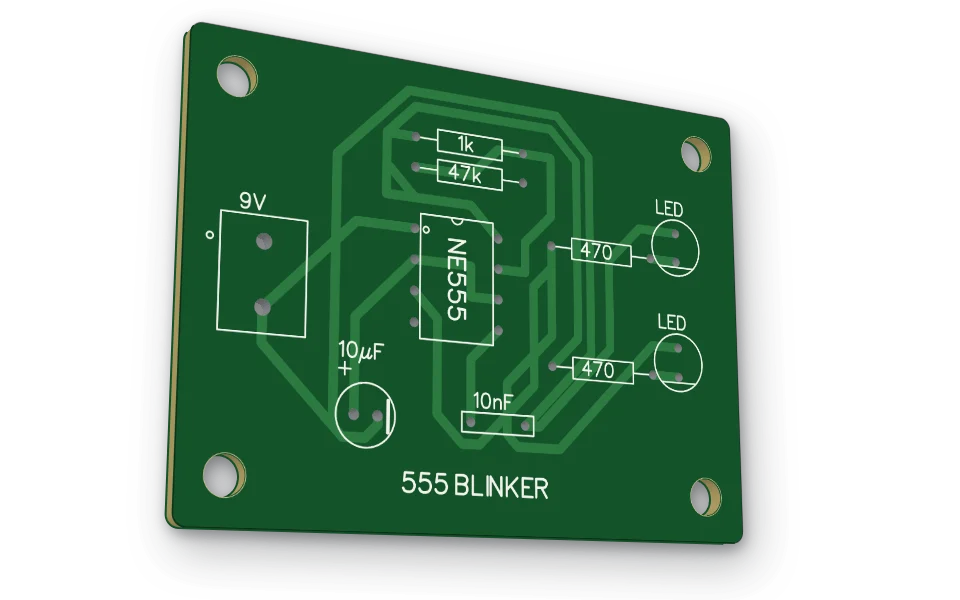
What you can do with an imported board
- Keep editing it with the autorouter, AutoGround copper pours and more than 6,000 footprints, on a phone or on a big screen.
- Check it with the design rule check and the profile of the fab you'll order from: a board drawn years ago may not meet today's minimums.
- See it in 3D in the solder mask colour and surface finish you'll order (free): See your PCB in 3D before you order it.
- Make it at home from a mirrored 1:1 PDF for toner transfer or UV exposure (free): Etch a PCB at home from a PDF mask.
- Order it from a fab with Gerber and drill files (Engineer plan): How to design and order your first PCB.
- Share it with a link that opens the board in 2D or 3D, with no account needed to look at it (free).
Boards from KiCad, Eagle and Sprint-Layout open too: Open KiCad, Eagle and Sprint-Layout boards on your phone.
Frequently asked questions
Can I import PCB-Droid projects without a computer?
Not on a phone without root. Android keeps each app's data private, so the backup is made over USB from a computer. On a rooted phone you can copy PCB-Droid's projects.db and import that instead.
Do I need to root my phone?
No. PCB-Droid allows Android backups, so a USB cable, a computer and Google's free Platform Tools are enough.
Is importing PCB-Droid boards free?
Yes, on every plan, the free one included. The only limit is how many boards fit in your cloud (3 on the free plan); the import offers to save the rest on the device.
Can I open my PCB-Droid boards on an iPhone, an iPad or a PC?
Yes. Import them in the web app at app.protoboarddesigner.com, in any browser on Windows, macOS or Linux, and the boards you keep in the cloud open in Protoboard Designer on iPhone, iPad and Android too.
Will the backup change anything in PCB-Droid?
No. A backup only copies the app's data. PCB-Droid and the boards in it stay as they were.
Why are some of my PCB-Droid boards missing?
Boards that were kept only on the PCB-Droid server were never on the phone, so they are not in the backup. The import lists them as Not in the file.
You can ask PCB-Droid for a copy. EU data protection rules (the GDPR) let you ask a company for a copy of the data it keeps for your account, so ask for your projects by name. Write to support@pcbdroid.com from the email address of your PCB-Droid account, or message PCB-Droid on Facebook. If you get back a projects.db file, import it like a backup; if you get anything else, write to us and we'll help you open it.
Can I order a PCB from a PCB-Droid board?
Yes. An imported board is a normal project: run the design rule check, then export Gerber and drill files for a fab (Engineer plan), or print a mirrored 1:1 PDF to make it at home (free on every plan).
Bring your PCB-Droid boards across
Free on every plan, in the browser, on Android, iPhone and iPad.
Open the Web App