How to Share a Board
Estimated reading time: 4 minutes
A share link lets anyone open your board in a browser, or in the app if they have it, without an account. They can look at it in 2D or 3D, turn layers on and off, and read its size and parts. Nobody can change it. If you allow it, they can remix it: take their own copy to continue from.
Sharing works for boards in the Cloud list. To share a board kept on this device, export it as a .pbd and import it from the Cloud list first (Projects, Cloud Sync & Backups).
Share a board
- Open Share & export: the printer button on the editor's left toolbar, or the board's menu in the project list.
- Press Make this board public.
- Choose the settings below, then Copy link.
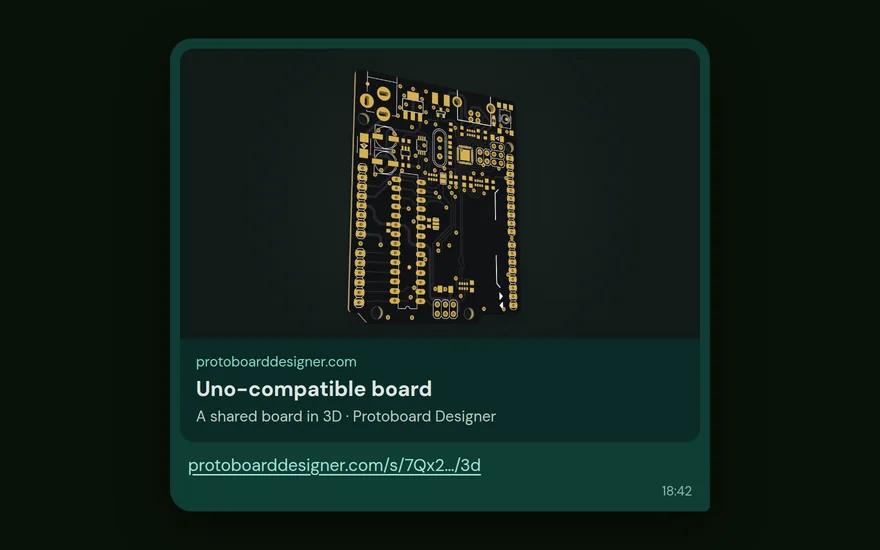
Paste the link in a chat or a post and it unfolds into a picture of the board. Readers can also scan the board's QR code (Open on your phone).
The settings
-
The link opens in 2D or 3D. Either way, readers can switch.
-
Allow remixing: readers can make their own copy, signed in to their own account. Off, they can only look.
-
License (with remixing on), the terms a remix is taken under:
- CC BY: anyone may use, change and make your board, also commercially, as long as they credit you.
- CC BY-SA: the same, and what they publish from it must carry the same terms.
- CC0: no conditions at all, not even credit.
A licence can't be taken back: stopping sharing removes the board, but copies already taken keep their terms. It covers your own design; footprints from libraries keep their own terms. A remix of a CC BY-SA board stays CC BY-SA.
-
Show my name: readers see who shared it. It needs a name in your profile.
The board as it was when you shared it: copper, silkscreen, holes, outline and the 3D look. A reference photo you traced over is never shared (How to Trace a Board from a Photo).
Later
- The link shows the version you shared. After more edits, open Share & export again and press Update shared version.
- Preview as visitor shows the board as readers see it.
- Stop sharing turns the link off at once. Anyone who opens it then reads This board is no longer shared.
A shared board with remixing on shows its licence on the Share & export screen (Public · CC BY-SA · remixing on); Manage opens these settings again.
Opening a shared board
A reader sees the board in a view-only editor: Layers, Zoom to fit, the 2D/3D switch and About this board (board size, layers, components, smallest track, the shared version). With remixing on, Remix makes their own copy, which opens as a new board in their project list.
Every shared board has Report, for a board that copies someone's design or shows personal data. A person reads every report.
- How to See Your Board in 3D: the showcase, and its own link
- Projects, Cloud Sync & Backups