How to Create Your Own Footprints
Estimated reading time: 4 minutes
Sooner or later you'll meet a part that isn't in any library — an odd relay, a salvaged module, a breakout with non-standard pins. In Protoboard Designer you don't need a separate footprint editor: you build the footprint right on the board with the normal tools, select it, and save it as a reusable part.
The free plan includes 5 custom footprints; Maker and Engineer have no limit. You need to be signed in to create one.
Step 1 — Build the footprint on the board
Lay out the part's pattern with the everyday tools, straight from its datasheet:
- Place the pads — TH pads for legs, SMD pads for surface contacts — at the exact pitch the datasheet gives. Set the grid to the part's native pitch first (often 2.54 mm) so everything snaps into place.
- Add a silkscreen outline and a pin-1 marker (the convention: pin 1 gets the square pad).
- Add a reference label if you like.
Double-check the pitch and drill sizes now — every future board that uses this footprint inherits them.
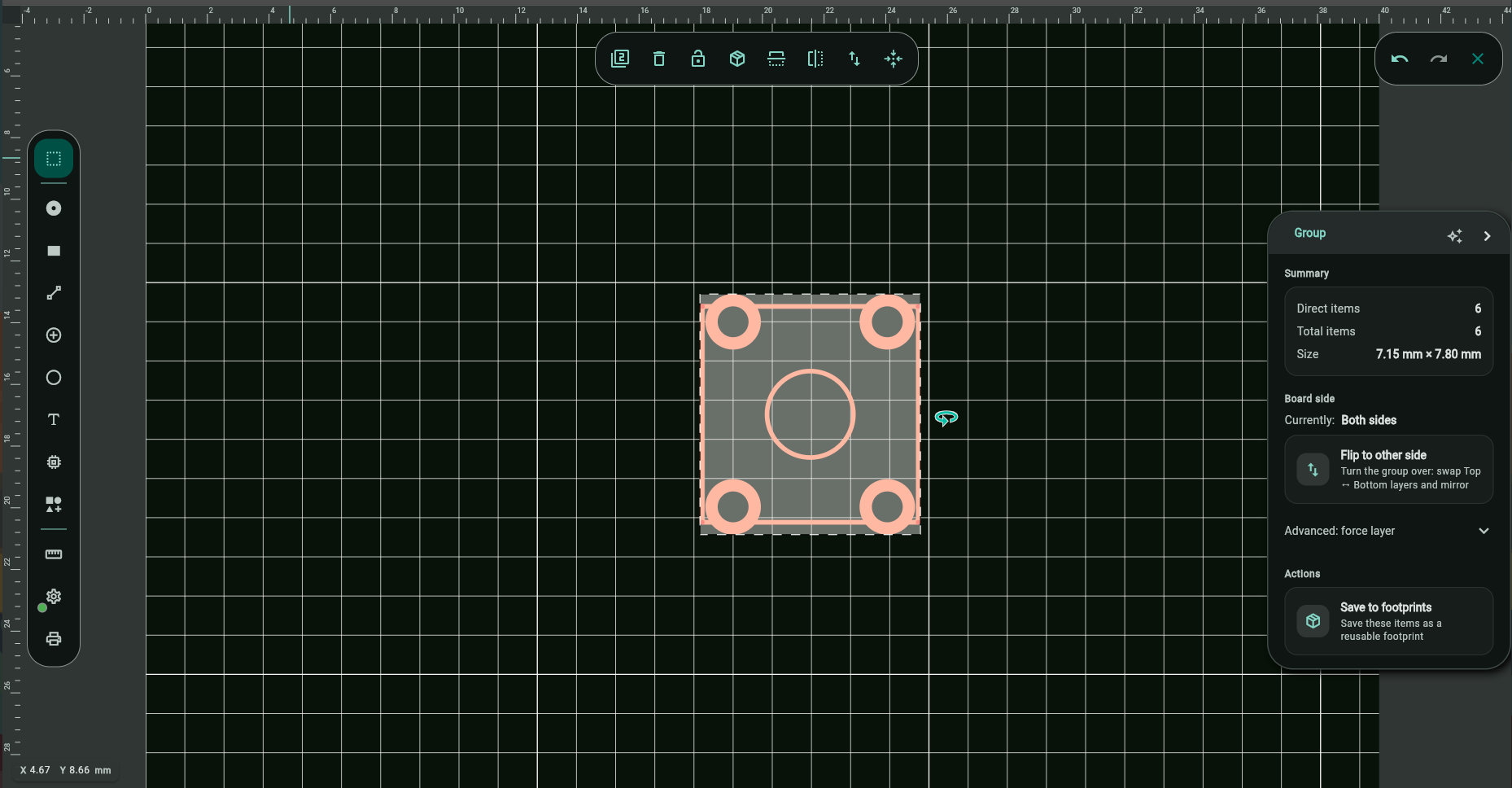
Step 2 — Save it as a footprint
- Select everything that belongs to the part (box-select is easiest) — with more than one element selected, the property panel shows Group.
- In the Group panel's Actions section, choose Save to footprints.
- Give it a name — you'll search by this later.
You'll get a confirmation that the footprint was created.
Step 3 — Place it anywhere
Your part now lives in the My footprints section of the footprint library. Search it by name and drag it onto any board, on any of your devices — custom footprints sync with your account.
- Edit or delete a footprint from My footprints (deleting can't be undone; boards that already placed it keep their copy).
- Placed footprints behave like library parts: rotate, move, lock to tracks — everything works the same.

Tips for good footprints
- Datasheet first: use the "recommended land pattern" drawing if the datasheet has one — pitch, pad sizes, and drills are all there.
- Print a 1:1 check: for a tricky part, place the footprint on a scrap board and print it at 1:1 — the real part should sit perfectly on the paper.
- Generous drills for THT: a leg should drop in without force; +0.2 mm over the pin diagonal is a common allowance.
- Run DRC after placing a new footprint the first time — it catches annular-ring and spacing surprises immediately.
Troubleshooting
"You must be signed in to create a footprint"
Custom footprints are stored with your account so they sync across devices — sign in (free) and retry.
I hit the footprint limit
The free plan includes 5 custom footprints. Delete one you no longer need in My footprints, or upgrade to Maker for unlimited.
- Import KiCad footprints — thousands of ready-made parts
- Pads, Vias & Pad Options
- Design Your First PCB