How to Export Your Board as an Image (PNG / JPG)
Estimated reading time: 3 minutes
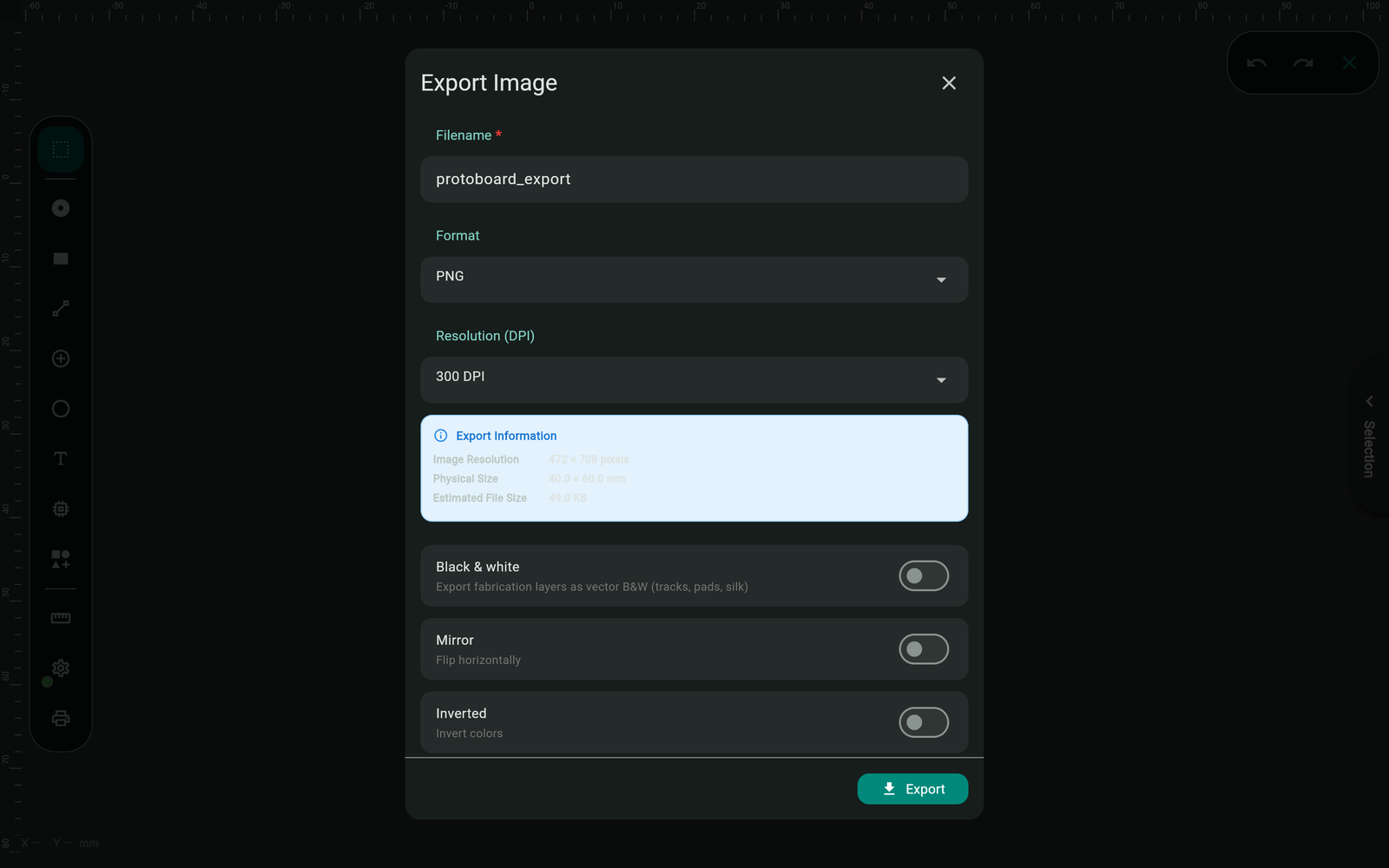
Sometimes you don't need Gerbers or a PDF — you need a picture: for a forum post, project documentation, a README, or quick artwork. The image exporter renders your board to PNG or JPG in two distinct styles, with the same layer control the other exporters have.
Export an image
- Open the Export tool (left toolbar) and choose Export Image.
- Pick the layers to include.
- Choose the style and options (below), set the resolution, and export.
- Signed-in users get the file via the normal save/share flow.
The two styles
- Colored render (default) — the board as it looks in the editor, with each layer in its canvas colour. Best for sharing and documentation.
- Black & white — a clean, fabrication-style vector rendering: copper as solid black artwork, no editor colours. Best for artwork, print-outs, and anywhere you'd otherwise reach for a photo-plot look.
The options
| Option | What it does |
|---|---|
| Format | PNG (crisp, recommended) or JPG |
| Image Resolution | Output DPI — 300 is the default; go higher for print |
| Black & white | Switches from colored render to fabrication-style artwork |
| Mirror | Flips horizontally — for bottom-side artwork |
| Inverted | Swaps dark/light — for mask-style output |
| Board outline | Draws the board edge on the image (on by default) |
| Watermark | Small branding in the corner — always on for Free, optional from Maker, off by default on Engineer |
Etching from an image?
You can build a mask from a mirrored, inverted B&W image — but the PDF export is purpose-built for that, with presets, exact 1:1 scale lock, and a calibration ruler. Use PDF for board making; use images for everything visual.
Troubleshooting
The image looks like the editor, but I wanted plain artwork
Enable Black & white — the default style is the colored editor render.
The export asks me to sign in
Exports (image, PDF, Gerber) require a free account.
What's next?
- Export a PDF — toner-transfer and UV masks at exact scale
- Export Gerber Files
- Understanding PCB Layers